-
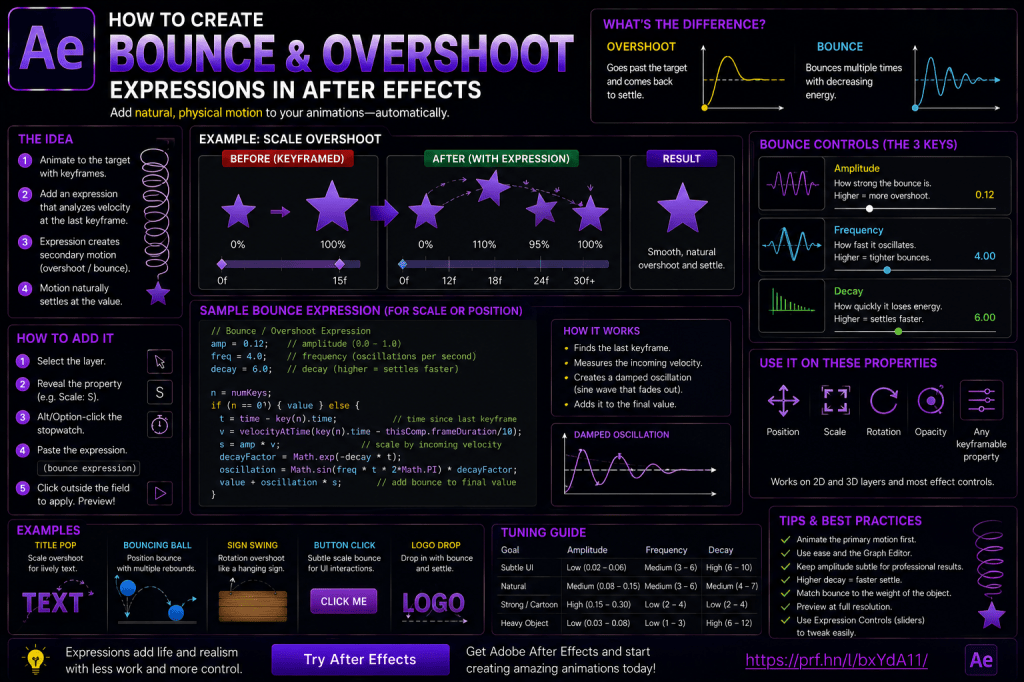 Continue reading →: How to Create Bounce and Overshoot Expressions in Adobe After Effects
Smooth animation is important in Adobe After Effects, but perfectly smooth movement isn’t always realistic. When a physical object moves quickly and stops, it often doesn’t simply reach its final position and become completely motionless. It may: overshoot; bounce; spring back; wobble; settle gradually. Motion designers frequently recreate this behavior…
-
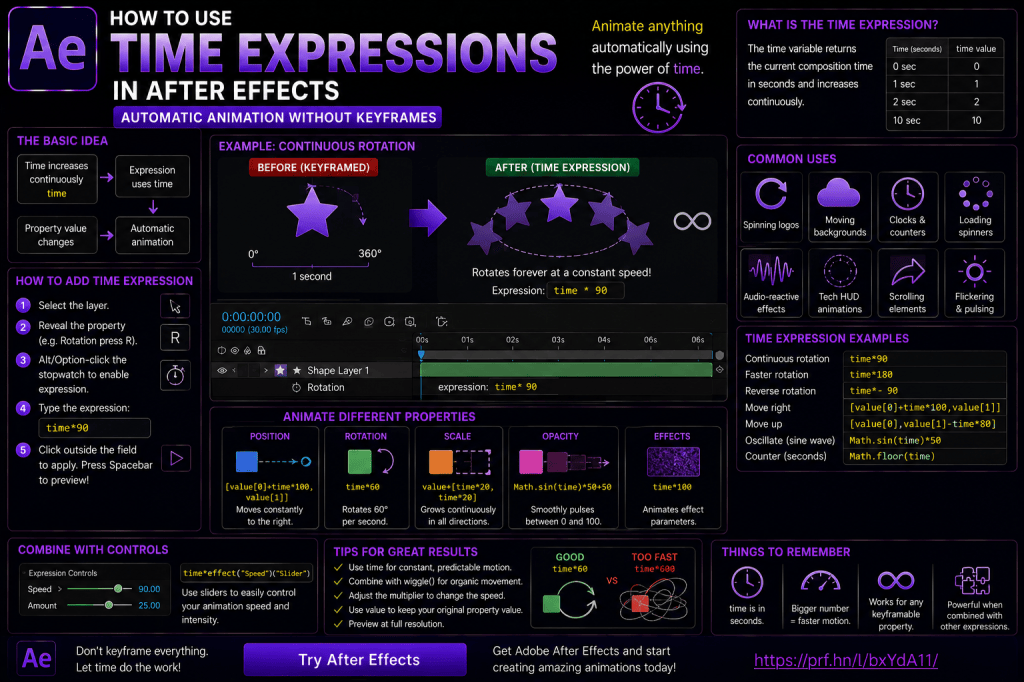 Continue reading →: How to Use Time Expressions in Adobe After Effects: Automatic Animation Without Keyframes
One of the most useful things you can learn in Adobe After Effects is how to create animation that runs automatically. Normally, animation starts with keyframes. You create one value at one point in time, move forward in the Timeline, change the value, and After Effects calculates the movement between…
-
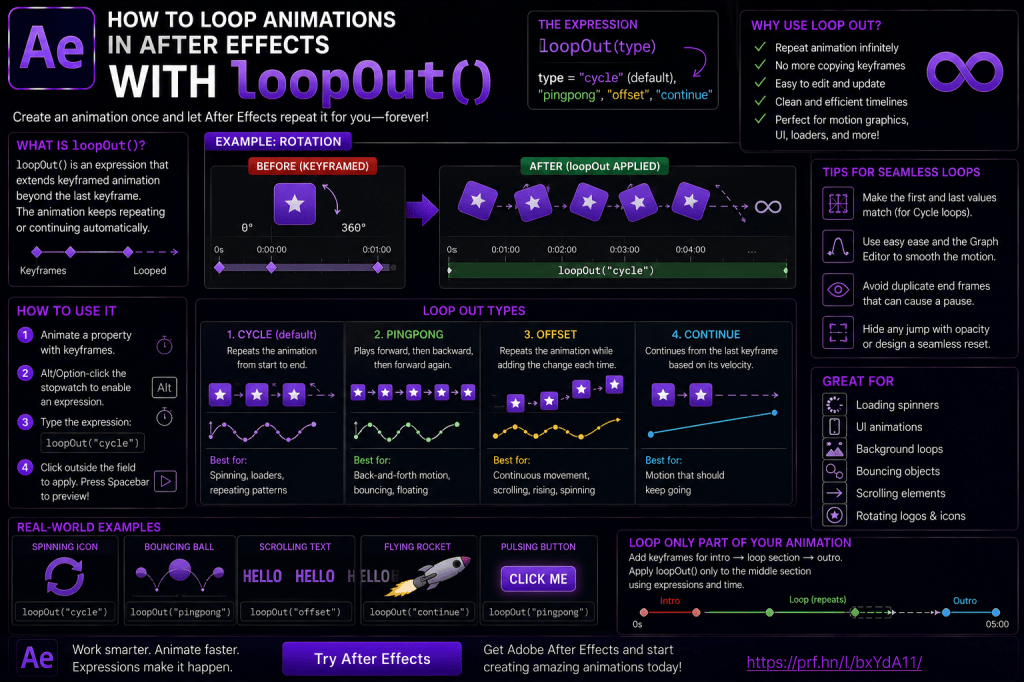 Continue reading →: How to Loop Animations in Adobe After Effects with loopOut()
Repeating animation is one of the most common tasks in Adobe After Effects. A loading icon spins continuously. A button pulses. A background pattern moves forever. A character bounces repeatedly. An arrow moves from left to right again and again. You could copy and paste the same keyframes dozens of…
-
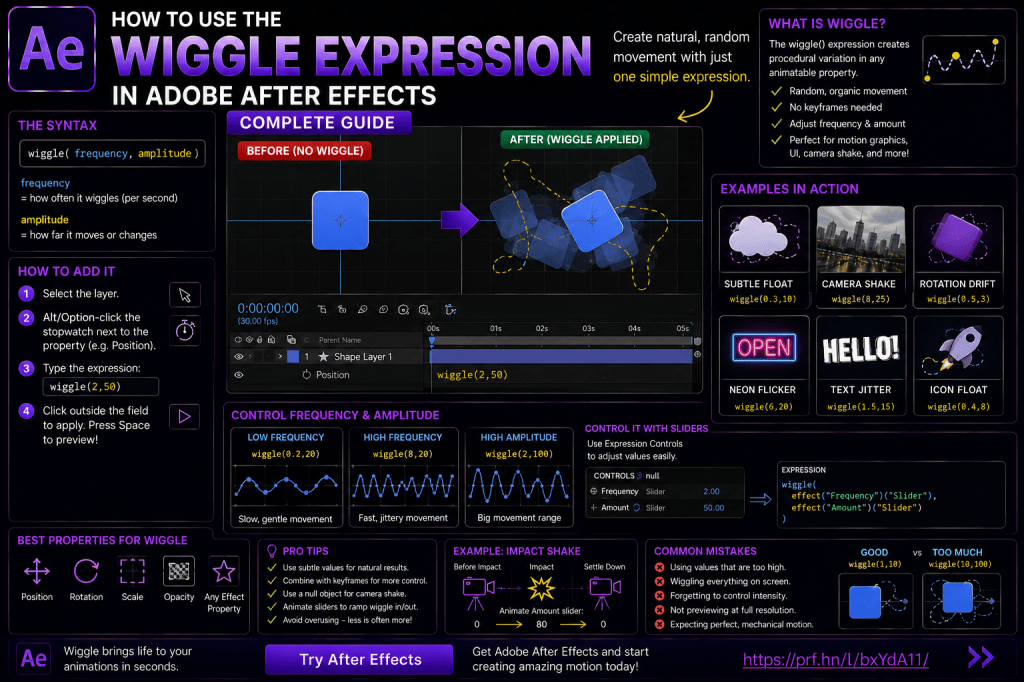 Continue reading →: How to Use the Wiggle Expression in Adobe After Effects: Complete Guide
The wiggle() expression is one of the most useful expressions you can learn in Adobe After Effects. With a single short line of code, you can create: camera shake; floating objects; flickering lights; random movement; subtle text motion; handheld-style animation; organic rotation; animated interface elements. Without expressions, many of these…
-
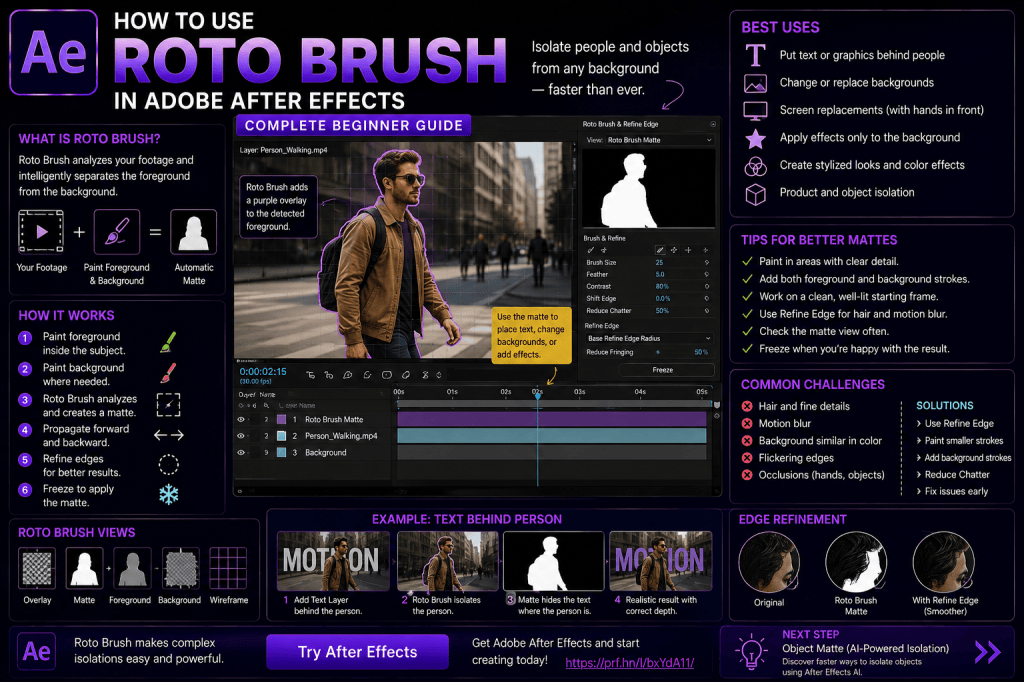 Continue reading →: How to Use Roto Brush in Adobe After Effects: Complete Beginner Guide
Removing a person from the background used to mean hours of manually drawing and animating masks. Adobe After Effects makes this process considerably easier with Roto Brush. Roto Brush lets you identify the foreground subject in a video and then helps propagate that selection through neighboring frames. Instead of manually…
-
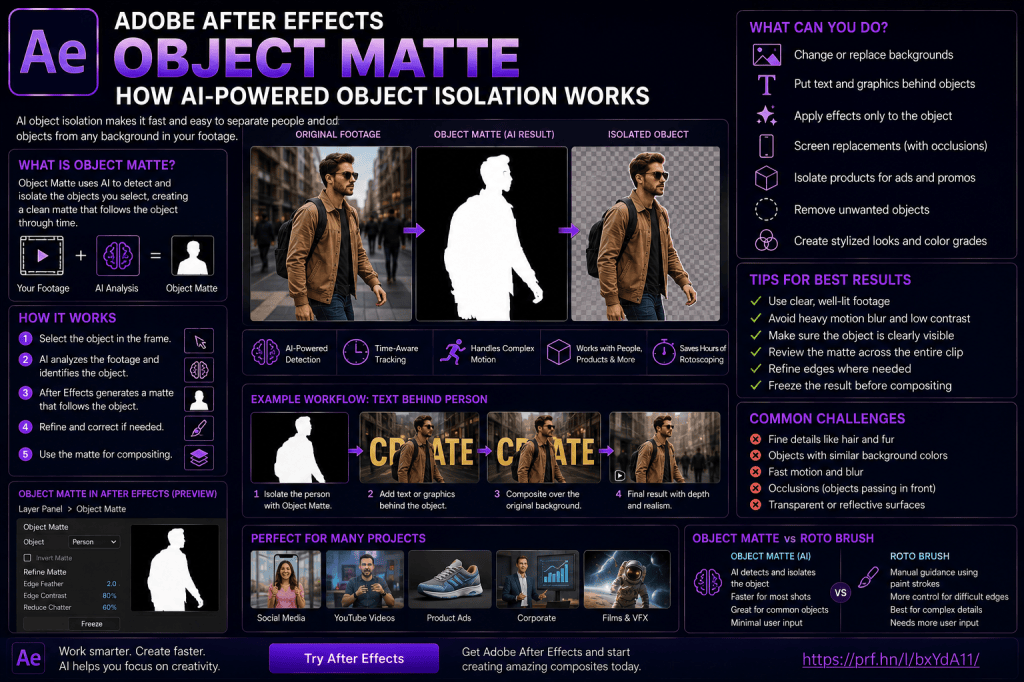 Continue reading →: Adobe After Effects Object Matte: How AI-Powered Object Isolation Works
Isolating an object from video has traditionally been one of the most time-consuming jobs in visual effects. A person walks through a scene. A car passes in front of a building. A product rotates on a table. If you want to separate that object from its background, you need an…
-
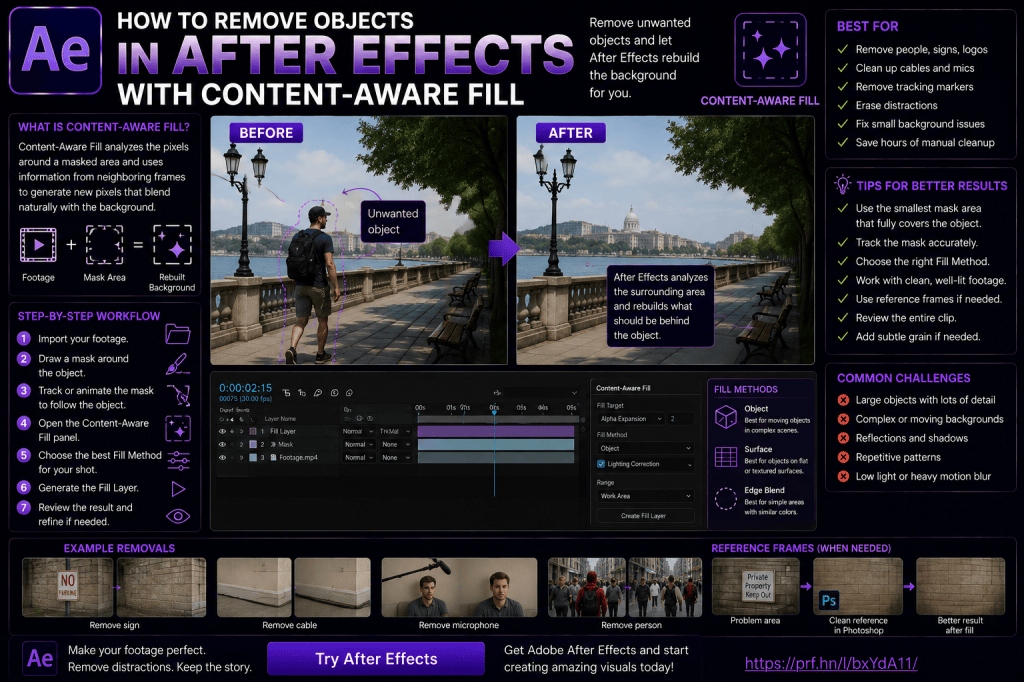 Continue reading →: How to Remove Objects in Adobe After Effects with Content-Aware Fill
Removing unwanted objects from video used to be one of those visual-effects jobs that could require considerable manual painting, masking, tracking, and frame-by-frame cleanup. Adobe After Effects provides a much faster option for many shots: Content-Aware Fill. Content-Aware Fill analyzes surrounding image information and neighboring frames to generate replacement pixels…
-
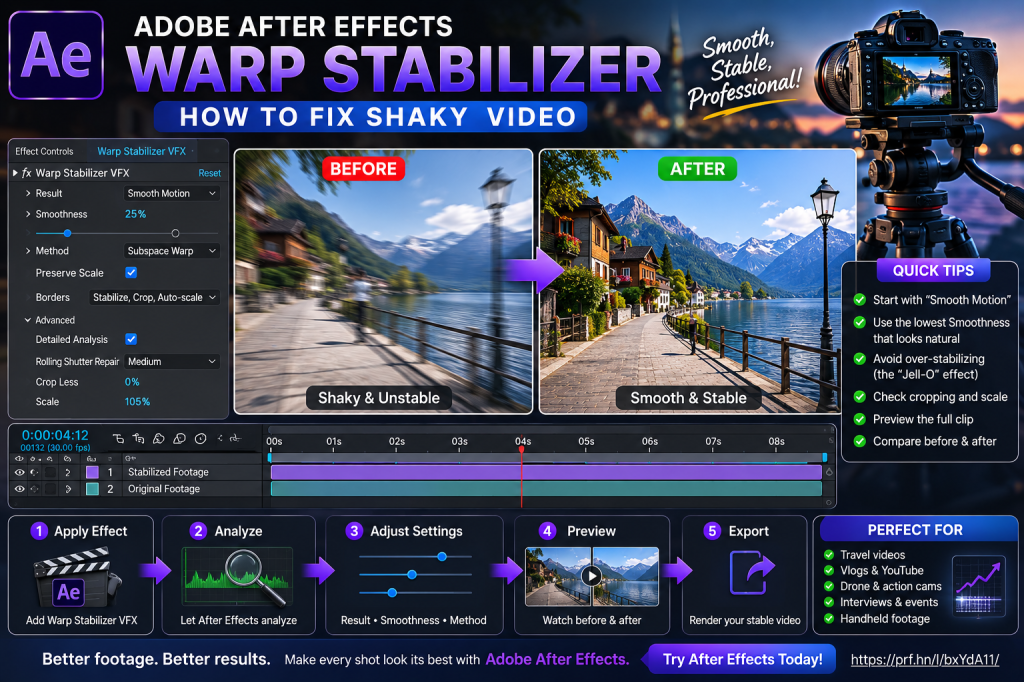 Continue reading →: Adobe After Effects Warp Stabilizer: How to Fix Shaky Video
Shaky footage can quickly make an otherwise good video look amateurish. Perhaps you filmed handheld while walking. Maybe a lightweight camera introduced small vibrations. Or perhaps a shot that looked stable on the camera display suddenly seems much rougher when viewed on a large monitor. Fortunately, Adobe After Effects includes…
-
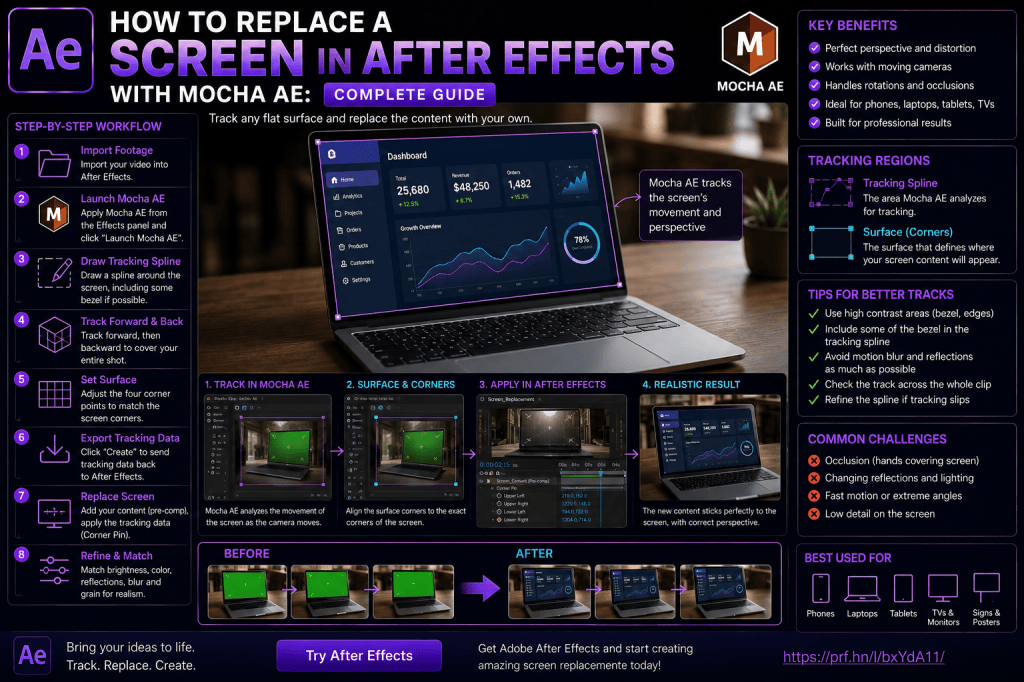 Continue reading →: How to Replace a Screen in Adobe After Effects with Mocha AE: Complete Guide
Screen replacement is one of the most practical visual-effects techniques you can learn in Adobe After Effects. You’ve probably seen it hundreds of times without noticing. A person holds a smartphone while an app interface appears perfectly attached to the display. A laptop moves across a desk while a website…
-
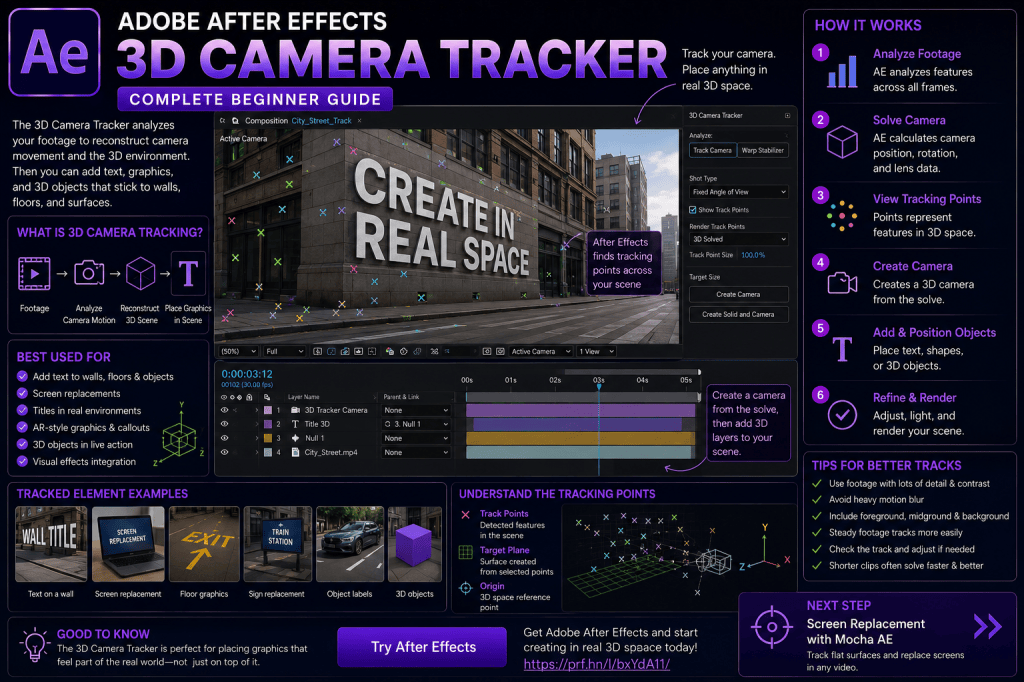 Continue reading →: Adobe After Effects 3D Camera Tracker: Complete Beginner Guide
The 3D Camera Tracker is one of the most powerful compositing tools in Adobe After Effects. Instead of tracking a single moving object, the 3D Camera Tracker analyzes the movement of the camera itself and attempts to reconstruct a virtual 3D representation of the shot. That means you can place…
Hello,
I’m Ben

Welcome to After Effects Cloud, a place where I share my passion for Adobe After Effects, motion graphics, animation, and visual effects. I created this website to make learning After Effects easier, whether you’re opening the application for the first time or looking for new techniques to improve your creative work. Here you’ll find practical tutorials, feature guides, workflow tips, and updates covering the latest developments in After Effects. I’m constantly exploring new tools, including AI-powered features and the growing 3D capabilities inside After Effects, and I enjoy sharing what I discover along the way. I hope the articles inspire you to experiment, learn something new, and create amazing things with Adobe After Effects.
Let’s connect
Join the fun!
Stay updated with our latest tutorials and ideas by joining our newsletter.





