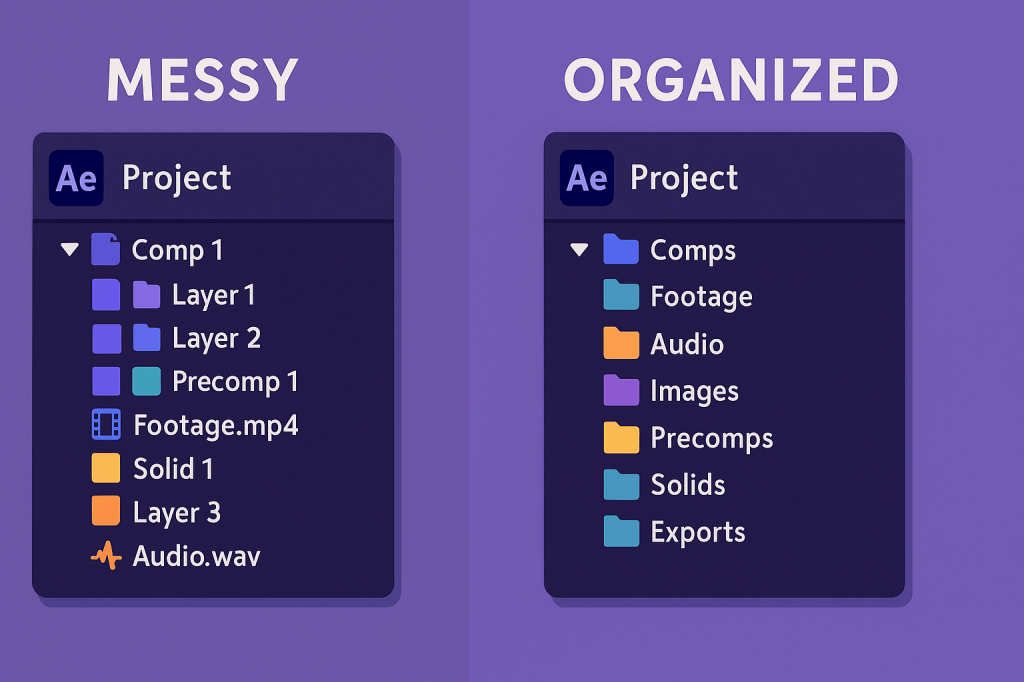
When your After Effects project grows, keeping it organized becomes critical. Messy projects slow you down, cause mistakes, and make collaboration a nightmare. With smart file management, you’ll work faster and avoid the dreaded “missing footage” errors.
📁 Step 1: Organize Your Project Panel
Create a clear folder structure in the Project Panel:
/Footage/Audio/Images/Comps/Precomps/Solids/Exports
👉 Pro Tip: Color-label your layers (e.g., red for text, green for footage, blue for audio).
🎬 Step 2: Name Everything Clearly
Avoid “Comp 1” or “Layer 23.” Instead:
- Name comps by function:
Intro_Title,Logo_Animation. - Prefix with numbers if order matters:
01_Main,02_LowerThirds. - Add version numbers:
Scene_2_v3.
🖼️ Step 3: Keep Assets in a Project Folder
Store all your footage, images, and audio in one master project folder before importing.
- Prevents “Missing Footage” errors.
- Easier to share projects with teammates.
- Makes archiving clean and simple.
⚡ Step 4: Use Pre-Comps for Clarity
- Group related layers into pre-compositions.
- Example: Put all your animated text layers into
Precomp_Text. - Keeps main comps lean and easy to read.
🛠️ Step 5: Version Control & Backups
- Save versions regularly:
Project_v1,Project_v2. - Use Increment & Save (Ctrl/Cmd+Alt+S) for automatic numbering.
- Backup your project folder to an external drive or cloud service.
🎯 Final Thoughts
File organization isn’t glamorous, but it’s the backbone of professional motion graphics. A clean project saves time, prevents errors, and makes collaboration smooth.
👉 Want to test it out? Download Adobe After Effects free trial and practice organizing your next project like a pro.






