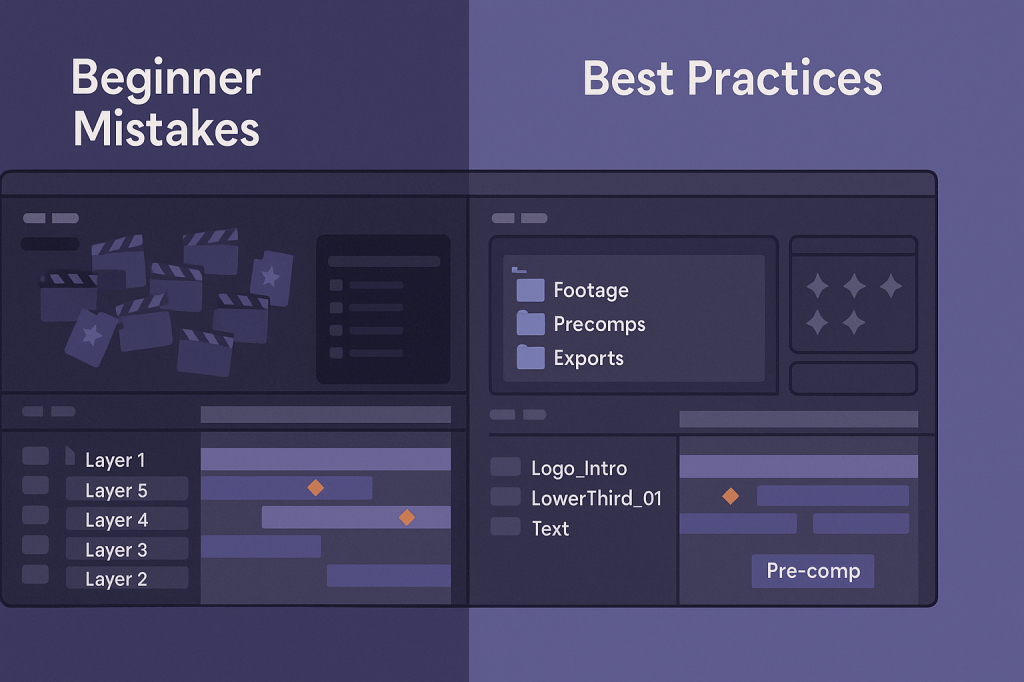
Adobe After Effects is an exciting tool for motion graphics and VFX, but beginners often run into the same pitfalls. Avoiding these mistakes early on will save you time, frustration, and even crashes. Here are the most common beginner mistakes — and how to fix them.
❌ Mistake 1: Ignoring Project Organization
Many beginners drop all footage, images, and comps into one messy panel. This quickly becomes overwhelming.
Fix:
- Use folders:
/Footage,/Audio,/Precomps,/Exports. - Name layers and comps clearly (
Logo_Intro,LowerThird_01). - Color-code similar layers for easy navigation.
❌ Mistake 2: Overusing Effects
Adding too many effects at once can make your animation look unpolished — and slow down your computer.
Fix:
- Stick to a few key effects per scene.
- Focus on timing and motion before adding heavy visual effects.
- Preview animations often to refine.
❌ Mistake 3: Forgetting to Pre-Compose
Beginners often keep everything in a single timeline, leading to chaos.
Fix:
- Pre-compose groups of layers (titles, transitions, elements).
- Use pre-comps to apply global effects without clutter.
❌ Mistake 4: Not Adjusting Anchor Points
By default, layers rotate and scale around their anchor point. Forgetting to adjust it leads to awkward animations.
Fix:
- Use the Pan Behind Tool (Y) to move anchor points before animating.
- Place anchor points at logical spots (center of text, bottom of an object, etc.).
❌ Mistake 5: Ignoring Preview Settings
Beginners often preview in full resolution, which slows playback.
Fix:
- Use 1/2 or 1/4 resolution for previews.
- Set the Work Area to preview only what you need.
- Use RAM Preview (0 on numpad) for smoother playback.
❌ Mistake 6: Exporting the Wrong Way
Many export directly from the Render Queue in formats too large for web.
Fix:
- Use Adobe Media Encoder for web-optimized MP4s.
- Choose presets for YouTube, Instagram, or TikTok.
🎯 Final Thoughts
After Effects has a learning curve, but avoiding these beginner mistakes will speed up your progress and keep your projects professional. Organize, pre-compose, simplify effects, and optimize previews for the best results.
👉 Ready to practice the right way? Try Adobe After Effects free trial today and start creating confidently.






